
50 MeasureSquare Tips for Commercial Flooring Estimators
50 MeasureSquare tips from real commercial flooring takeoffs. Cut waste, catch scope, and stop letting the software decide your bid quality.

Amruta Naik
Two estimators. Same project. Same version of MeasureSquare. Completely different material quantities. If you have ever compared bids inside your own team, you have seen this happen, and you probably assumed the difference was talent or experience. It usually is not. The difference is workflow. MeasureSquare is one of the most powerful commercial flooring takeoff and estimating platforms in the industry, and it can calculate quantities, optimize roll layouts, generate labor reports, and produce professional bid documentation faster than anything else on the market. But the software does exactly what you tell it to do, no more and no less. Feed it a rushed workflow, incorrect scale, and unassigned materials, and it will produce a beautifully formatted takeoff that quietly loses you money on install day.
The estimators who consistently protect their margin on MeasureSquare bids all share the same set of habits. They read the specifications before they touch the software. They verify scale before they trust a single quantity. They think about seams like installers, not like software users. They organize their material libraries so nothing gets rebuilt from scratch on every project. They audit reports before they export them. They peer-review every deliverable. None of this is exotic. All of it is discipline, and every one of the tips below reflects what disciplined estimators do differently.
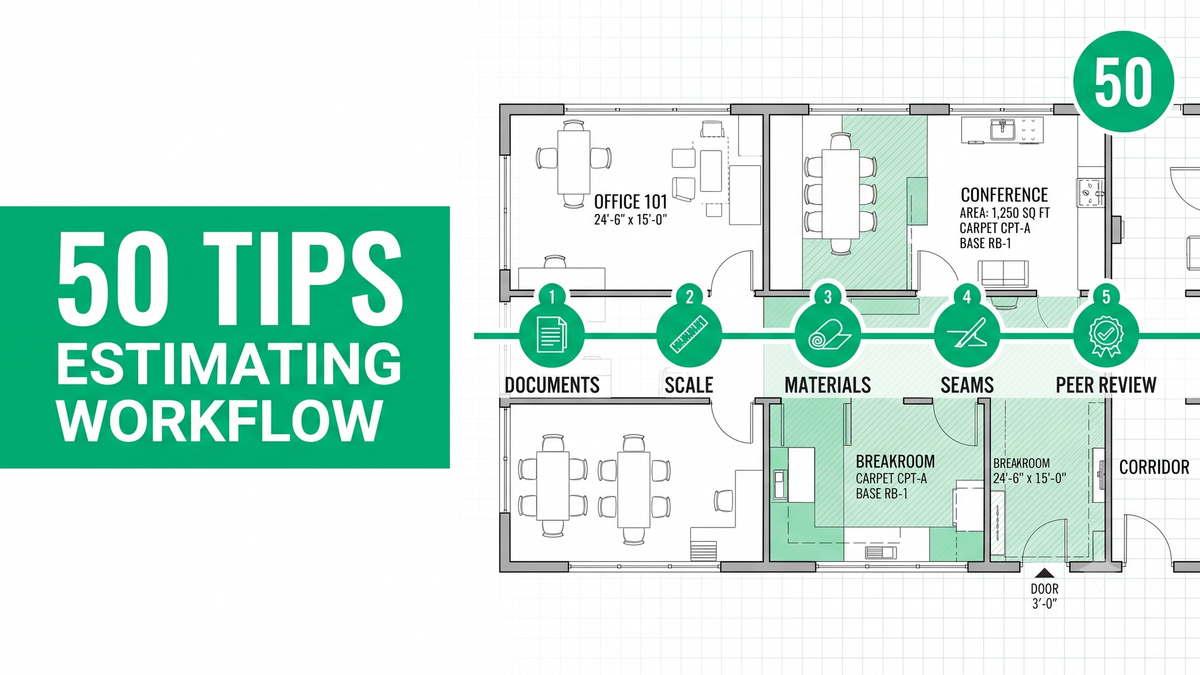
This guide walks through 50 MeasureSquare tips organized by workflow phase: what to do before you open the software, how to configure your setup, how to run the takeoff, how to plan seams, how to catch accessories, how to audit reports, and how to build a team QA process. Every tip is directly applicable to a commercial flooring bid you might be running this week.
If you are working through a MeasureSquare bid right now and the scope is bigger than your team's bandwidth, upload your plans and get a fast takeoff quote.
Why MeasureSquare Workflow Matters More Than the Software Itself
MeasureSquare is the industry-leading commercial flooring takeoff and estimating platform, used by top flooring subcontractors, multifamily contractors, and commercial dealers across the US and Canada for carpet, sheet vinyl, LVT, tile, hardwood, and rubber estimating. Accuracy in MeasureSquare depends less on the software's features and more on the workflow discipline of the estimator: reading specifications first, verifying scale, planning seams like an installer, and running peer review on every deliverable. Unicalibre Estimating is an architect-led firm that runs mandatory peer review on 100 percent of MeasureSquare takeoffs, and every deliverable ships as a native .xml project file your team can import and adjust directly.
The reason workflow beats software is that MeasureSquare will calculate whatever you configure it to calculate. It cannot tell you that you skipped the finish schedule, applied the wrong scale, or missed the waterproofing detail. That interpretation work belongs to the estimator, and the quality of the interpretation decides the quality of the takeoff. Estimators who bring discipline to the workflow get accuracy that holds up under audit. Estimators who lean on the software's automation without workflow discipline get takeoffs that look professional and quietly bleed margin after award.
The tips below reflect what disciplined MeasureSquare workflow looks like in practice. Every one of them is deployable on your next bid.
Request a risk-free pilot takeoff and see what a workflow-first process produces on your real project types.
50 MeasureSquare Tips Every Commercial Estimator Should Know
Before You Open MeasureSquare
1. Read the finish schedule before you touch the software. The single most expensive habit in commercial flooring estimating is starting the takeoff in MeasureSquare before understanding the project. The finish schedule tells you what materials go where.
2. Review the Division 09 specifications section. The specifications capture requirements the drawings never show: waterproofing systems, installation methods, ASTM references, and manufacturer-approved assemblies.
3. Read the general notes and finish legend together. Notes and legends carry the specific installation requirements that drive prep, welded seams, and specialty accessories.
4. Study the interior elevations before the floor plan. Wall tile, wainscot, backsplashes, and flash cove details live in elevations, not on the floor plan.
5. Check the reflected ceiling plan for ceiling finishes. Healthcare, hospitality, and commercial kitchens often specify ceramic tile ceilings or specialty systems.
6. Review the door schedule for transitions. Every transition between two materials sits at a door, and the door schedule is where they get counted.
7. Read the responsibility matrix. Owner-furnished versus contractor-installed is the difference between pricing scope that is not yours and missing scope that is.
8. Cross-check manufacturer product data sheets. Roll widths, carton coverage, pattern repeat, and installation direction all live in the manufacturer's documentation, not the finish schedule.
9. Identify all ASTM references in the specs. F710, F2170, F1869, and F3010 signal substrate prep and moisture mitigation scope you must price separately.
10. Build a pre-takeoff checklist. Twenty minutes of document review before opening MeasureSquare saves hours of rework and prevents thousands of dollars of missed scope.
Setting Up Your Project
11. Verify the drawing scale twice. Check two known dimensions (like door widths at 3 feet 0 inches or grid lines) before trusting the scale. A single scaling error affects every quantity.
12. Import only the sheets you need. Bringing in the entire drawing set slows the software. Import the plans you will actually trace and reference.
13. Use PDF page labels or bookmarks if available. MeasureSquare respects bookmark names, which makes multi-level projects easier to navigate.
14. Set your measurement system before you start tracing. Switching between imperial and metric mid-project is where quantity errors get born.
15. Configure your project theme early. Consistent color coding across materials makes later report review and plan markups clearer.
Building and Using Your Material Library
16. Never rebuild materials from scratch on every project. Create a manufacturer library with your commonly-specified carpets, LVTs, sheet vinyls, and tiles.
17. Save common adhesives and installation methods. Adhesive selection affects both material and labor cost, and rebuilding it every project introduces errors.
18. Store transition profiles as reusable items. Schluter profiles, T-molds, reducers, and thresholds get missed constantly. Save them once, apply them everywhere.
19. Organize your library by trade and application. Commercial carpet, hospitality broadloom, healthcare sheet vinyl, and multifamily LVT each behave differently.
20. Set individual waste percentages by product. MeasureSquare lets you assign per-product waste, not a blanket project percentage. Use it.
21. Configure carton coverage in the product data. Ordering by carton instead of by tile prevents the count errors that eat inventory.
22. Save labor codes to match your rate structure. Trade-specific labor productivity varies, and hardcoded labor codes prevent guesswork under bid pressure.
Room Drawing and Takeoff
23. Trace odd-shaped rooms with the tools built for them. MeasureSquare handles curves, angled walls, and cutouts natively. Do not force everything into rectangles.
24. Use punch-out for central rooms and columns. Punching out interior features gives you accurate net areas without manually subtracting.
25. Draw internal walls when they matter for material change. Two materials in one room need separated areas, and the internal-wall tool handles this cleanly.
26. Duplicate rooms for repeated layouts. Multifamily unit repetition is where MeasureSquare shines. Duplicate, adjust, move on.
27. Group similar rooms into room groups. Patient rooms, guest rooms, offices, and classrooms are easier to estimate, report on, and revise as groups.
28. Verify room names against the finish schedule. Room labels drive report clarity, and a misnamed room is a quantity that ends up in the wrong bucket.
29. Check every room for missed areas. Scroll through every space in the drawing before you finalize. A missed alcove is a missed line item.
Layout Optimization and Seam Planning
30. Always optimize roll direction on sheet goods. Roll direction changes seams, waste, and appearance. Set it deliberately, not by default.
31. Plan seams before assigning materials. Do not let the software drop seams wherever the algorithm chooses. Move them out of high-traffic zones and sightlines.
32. Move broadloom seams behind doors and under cabinets. Seams belong where nobody sees them. MeasureSquare will show you where they land before you commit.
33. Use Cut and Fit for layout-driven work. Sheet vinyl, broadloom, herringbone, and chevron patterns need real layout simulation, not a flat waste percentage.
34. Check pattern repeat for hospitality broadloom. Patterned carpet in hotels, convention centers, and lobbies needs additional material for pattern alignment. Verify against the manufacturer.
35. Apply pattern-specific waste factors. Herringbone at 15 to 20 percent, chevron at 15 to 20 percent, diagonal at 12 to 15 percent. Never use a blanket percentage on decorative layouts.
36. Set installation direction per product. Directional arrows on carpet tile and LVT drive shading. Configure them in MeasureSquare so cut sheets are correct.
Accessories and Scope Completeness
37. Add cove base, cove stick, and cap strips. Flash cove installations carry material and labor that live outside the flooring square footage.
38. Include weld rod and heat welding labor. Sheet vinyl seams in healthcare and clinical space require weld rod. It is a distinct line item.
39. Capture Schluter profiles and metal transitions. These live in the door schedule and details, not the floor plan. Add them explicitly.
40. Price stair nosings and stair treads. Stairs are usually a separate takeoff and easy to miss during room tracing.
41. Include waterproofing membranes in wet areas. Membranes are their own square footage and their own labor. MeasureSquare handles them as separate products.
42. Add crack isolation membranes on tile. Tile assemblies that reference C627 or that sit over existing slab cracks need crack isolation.
43. Price moisture mitigation as its own line item. If specifications reference F2170, F1869, or F3010, mitigation is contingent scope that belongs in the bid.
Reports, Verification, and Team Workflow
44. Review material reports before exporting. MeasureSquare's report is only as good as the setup. Verify quantities, waste, roll counts, carton counts, labor, and accessories.
45. Perform a manual walkthrough of every room. Automation catches most things. Your eyes catch the rest.
46. Compare quantities against your experience. If MeasureSquare tells you a simple rectangular office needs 18 percent carpet tile waste, pause and figure out why.
47. Add notes and markups to the plan. Special installation requirements, moisture concerns, and pattern direction should live on the plan itself, not in a separate document.
48. Save project templates by vertical. Hospital templates, hotel templates, school templates, and office templates cut setup time and improve consistency.
49. Sync your work to the MeasureSquare Cloud for backup and collaboration. Cloud sync protects against local file loss and lets PMs review takeoffs asynchronously.
50. Peer-review every takeoff before delivery. A second set of eyes catches the missed rooms, wrong materials, incorrect transitions, and scale issues that a single estimator will always miss under deadline pressure. This is the single highest-leverage discipline in the entire workflow.
Common MeasureSquare Workflow Mistakes
Most MeasureSquare accuracy problems trace back to the same handful of habits:
- Starting the takeoff before reading the finish schedule and specifications
- Trusting the drawing scale without verifying two known dimensions
- Rebuilding materials from scratch on every project instead of using a library
- Letting the software drop seams wherever the algorithm chooses
- Applying a blanket waste percentage across every material and pattern
- Skipping accessories that live outside the flooring square footage
- Exporting the report without a walkthrough or peer review
Pro tip checklist before you export any MeasureSquare takeoff:
- Did I verify the drawing scale against two known dimensions?
- Did I review the finish schedule, specifications, and elevations?
- Did I check manufacturer product data sheets for roll width and pattern?
- Are seams planned deliberately, not left to the algorithm?
- Are all accessories (cove base, weld rod, transitions, Schluter) included?
- Did I review the material report before export?
- Did I walk through every room manually?
- Has another estimator peer-reviewed the takeoff?
How the Estimating Models Compare on MeasureSquare Work
DIY (owner using MeasureSquare): The software's power gets underused, workflow shortcuts accumulate, and accuracy drops when the owner is estimating at 10 PM after a full day on site.
In-house estimator on MeasureSquare: Better if trained, but a single estimator under bid pressure defaults to shortcuts and skips peer review, which caps accuracy at 95 to 97 percent.
Per-project outsourcing: Useful for overflow, but a rotating estimator does not learn your material library, your labor codes, or your naming conventions, so quality varies bid to bid.
Dedicated MeasureSquare outsourced estimator: The same estimator every time, working from your material library, running peer review before delivery, delivering native .xml files. Most reliable for firms already running MeasureSquare, typically at a 50 to 60 percent cost reduction versus a domestic in-house hire.
Request a risk-free pilot takeoff and see what a workflow-disciplined MeasureSquare process produces.
What Changes in the Real World
The pattern repeats across MeasureSquare users at different maturity levels.
A flooring subcontractor in Texas was running MeasureSquare with a single in-house estimator who was rebuilding materials from scratch on every project. Building a proper material library and template system cut takeoff time by an estimated 30 to 40 percent per project without any accuracy loss, and freed the estimator to focus on pricing and the complete bid package.
A commercial flooring contractor in Phoenix was using MeasureSquare's default seam algorithm on hotel corridor broadloom, and seams were landing in visible sightlines that installers had to redo. Moving to a deliberate seam planning process, running the layout before assigning materials, cut visible-seam callbacks meaningfully and protected an estimated 5 to 10 percent of margin per phase.
A flooring firm in Ontario running MeasureSquare on healthcare projects had strong material accuracy but consistently missed flash cove accessories and weld rod because the accessory library was not fully built out. Adding those items to the standard library and running peer review before export brought scope accuracy in line with material accuracy.
Same lesson every time: MeasureSquare rewards workflow discipline. See how a dedicated MeasureSquare estimator helps you bid more work with the discipline your in-house team does not have time to enforce.
What to Send and What You Get Back
A MeasureSquare-native takeoff does not require a perfect package. It needs the right inputs.
What you send: architectural plans, the finish schedule and finish legend, interior elevations, specifications, any addenda, your existing MeasureSquare material library if available, your preferred labor rates, and any prior project templates.
What you get back: a BOQ or Excel breakdown organized by area and material, marked-up plans showing seam locations and material assignments, scope notes flagging waterproofing, prep, and specialty accessories, a material summary tied to manufacturer data, and native MeasureSquare project files (.xml) your team can import, adjust pricing on, and submit without re-entry.
Timeline: standard turnaround is typically 24 to 48 hours for most trade packages, with same-day rush available when the deadline is closing. Communication runs over email, phone, and your preferred PM tools, and addenda are tracked as they land.
Want the pre-export MeasureSquare workflow checklist your team can run on every bid? Download the checklist.
Frequently Asked Questions
Is MeasureSquare accurate for commercial flooring takeoffs?
MeasureSquare is highly accurate when used with disciplined workflow: verified scale, deliberate seam planning, correct material setup, and peer review before export. Accuracy typically holds at 99 percent or higher with a structured process. Accuracy drops when estimators rush the setup, trust the default algorithms without review, or skip the finish schedule and specification review before opening the software.
What is the most common MeasureSquare mistake?
The most common MeasureSquare mistake is starting the takeoff in the software before reviewing the finish schedule, specifications, elevations, and manufacturer data. Every one of these documents drives materials, seams, waste, transitions, and accessories that MeasureSquare cannot infer from the floor plan alone. Twenty minutes of pre-takeoff document review prevents most accuracy problems.
How can I reduce waste in MeasureSquare?
Reduce waste by optimizing roll direction on sheet goods, using Cut and Fit for layout-driven materials, planning seams deliberately instead of trusting the default algorithm, applying pattern-specific waste factors instead of blanket percentages, and modeling reusable offcuts on modular tile and plank products. Blanket waste factors on decorative patterns like herringbone and chevron are the most common source of over-ordering or shortages.
Should I use MeasureSquare, RFMS, or Callidus?
MeasureSquare, RFMS, and Callidus each excel at different workflows. MeasureSquare is strongest on commercial layout optimization, multifamily repetition, and reusable-offcut modeling. RFMS integrates estimating with ordering and business management in one environment. Callidus is preferred by contractors who value conservative waste assumptions. Software choice matters less than workflow discipline, and many contractors use more than one.
Can an outsourced estimator work in my MeasureSquare files?
Yes. A dedicated MeasureSquare outsourced estimator delivers native .xml project files your team can import directly, adjust pricing on, and submit without re-entering data. Unicalibre Estimating works natively in MeasureSquare, RFMS, PlanSwift, Callidus, Bluebeam, and Stack, and every deliverable is peer-reviewed before it goes out.
The Software Measures the Floor. The Estimator Understands the Project.
MeasureSquare is powerful. It is also just a tool, and a tool that will produce whatever workflow you feed it. The 50 tips above are what disciplined commercial flooring estimators do differently: they read the specifications first, verify scale twice, build reusable material libraries, plan seams like installers, capture every accessory, audit every report, and peer-review every takeoff before it ships. Every one of those habits protects margin and none of them requires new software.
Bid season does not wait, and the flooring subs who run disciplined MeasureSquare workflows are the ones who consistently bid more work with fewer accuracy problems. If your in-house team is capped on bandwidth, a dedicated MeasureSquare outsourced estimator brings the same workflow discipline at a materially lower per-bid cost, delivering native .xml files ready for your team to price and submit.
Book a call and send your plans for turnaround and pricing. Run MeasureSquare like a professional. Bid more, protect margin, and let workflow discipline decide your profit.