
50 RFMS Tips and Tricks for Flooring Estimators
50 RFMS tips from real commercial flooring takeoffs: cut waste, catch hidden scope, use the product catalog right, and maximize mobile-to-desktop workflows.

Amruta Naik
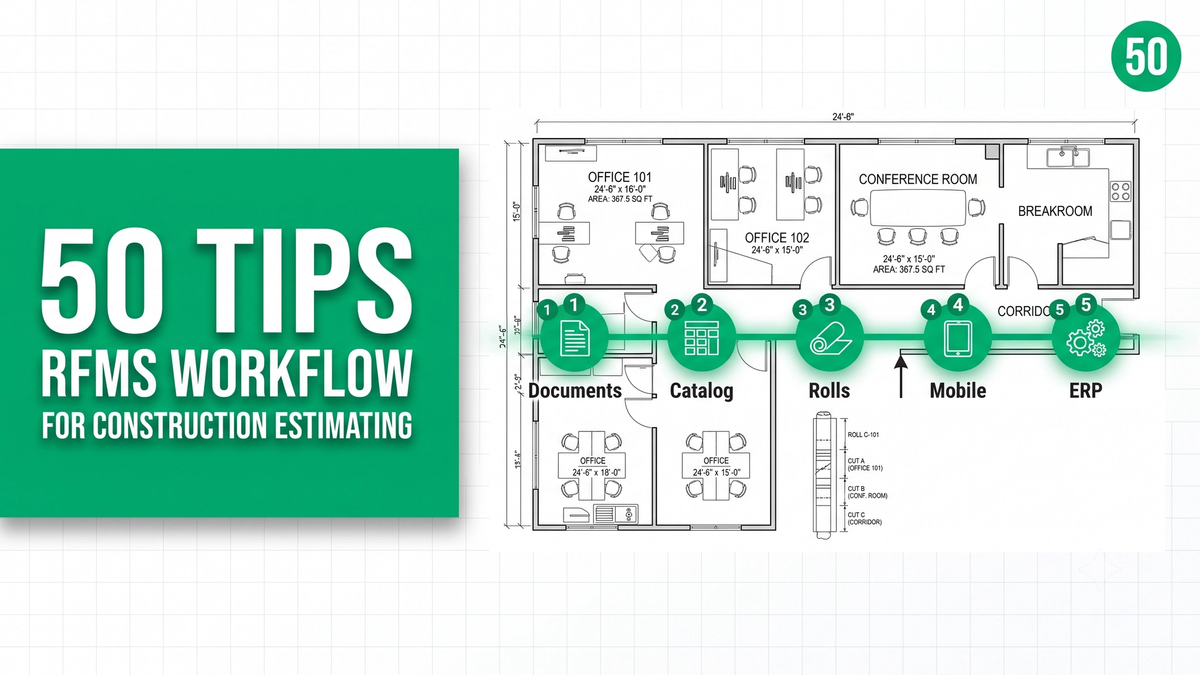
Ask any experienced flooring dealer or commercial estimator who has run RFMS for a decade, and they will tell you the same thing: the software is powerful, but most teams use less than half of what it can do. The Measure Desktop takeoff is the piece everyone knows. The product catalog integration, the roll allocation visualization, the Measure Mobile field workflow, the RFMS ERP flow-through into purchase orders and invoicing, the fcB2B manufacturer ordering, the roll-level inventory sync: most of that sits underused, and the estimators who quietly outperform their peers are the ones who lean into it. RFMS is not just a takeoff tool. It is a flooring business platform, and workflow discipline inside it produces takeoffs that flow directly through to your ordering, your job costing, and your invoicing without a single re-entry.
The problem is that most estimators learn RFMS the way most people learn Excel: whatever they picked up in the first month becomes the workflow forever, and every powerful feature they never got shown stays hidden behind menus they never open. Then bid volume climbs, deadlines compress, and the workflow shortcuts start compounding into missed scope, seam errors that installers have to fix, and material orders that do not tie back to the takeoff. The fix is not more software. It is 50 specific habits that separate the estimators who protect their margin from the estimators who let the platform do the thinking for them.
This guide walks through 50 RFMS tips organized by workflow phase: what to do before you open the software, how to configure your setup, how to use the product catalog properly, how to build accurate takeoffs, how to plan seams and allocate rolls, how to leverage Measure Mobile, how to push through to RFMS ERP for ordering and invoicing, and how to build a team QA process. Every tip is deployable on a bid you might be running this week.
If you are working through an RFMS bid right now and the volume is outstripping your team's bandwidth, upload your plans and get a fast takeoff quote.
Why RFMS Workflow Discipline Beats Software Features
RFMS is a leading flooring industry platform used by dealers and commercial contractors for takeoff estimating, product catalog management, roll allocation, job costing, ordering, installation scheduling, and invoicing, with Measure Desktop for office estimating and Measure Mobile for on-site verification. Accuracy in RFMS depends less on the software's features and more on the workflow discipline of the estimator: leveraging the product catalog properly, using roll allocation to optimize waste, integrating Measure Mobile for field verification, and running peer review before pushing to ERP. Unicalibre Estimating is architect-led, runs mandatory peer review on 100 percent of RFMS takeoffs, and delivers work that flows directly into your product catalog, purchase orders, and invoicing without re-entry.
The reason workflow beats features is that RFMS will run whatever configuration you give it. It will not tell you that your product catalog is out of date, that your labor codes have not been updated, or that your seam plan lets rolls waste 15 percent more material than they should. That discipline belongs to the estimator, and the quality of the workflow decides the quality of the takeoff. Estimators who bring discipline get accuracy that holds under audit and takeoffs that flow through to ordering seamlessly. Estimators who lean on defaults get professional-looking output that quietly bleeds margin after award.
The tips below reflect what disciplined RFMS workflow looks like in practice. Every one is deployable on your next bid.
Request a risk-free pilot takeoff and see what a workflow-disciplined RFMS process produces on your real projects.
50 RFMS Tips Every Flooring Estimator Should Know
Before You Open RFMS Measure
1. Read the finish schedule before you touch the software. The single most expensive habit in commercial flooring is starting the takeoff before understanding the project. The finish schedule tells you what materials go where and drives every product catalog assignment.
2. Review Division 09 specifications first. Specifications carry the requirements the drawings never show: waterproofing systems, ASTM references, installation methods, and manufacturer-approved assemblies.
3. Read the general notes and finish legend together. Notes and legends carry installation requirements that drive prep, welded seams, and specialty accessories.
4. Study interior elevations before the floor plan. Wall tile, wainscot, backsplashes, and flash cove details live in elevations, not on the floor plan.
5. Check the reflected ceiling plan for ceiling finishes. Healthcare, hospitality, and commercial kitchens often specify tile or specialty ceiling systems that fall in scope.
6. Review the door schedule for transitions. Every transition between two materials sits at a door, and the door schedule is where they get counted.
7. Read the responsibility matrix. Owner-furnished versus contractor-installed decides whether you are pricing scope that is not yours or missing scope that is.
8. Cross-check manufacturer product data sheets. Roll widths, carton coverage, pattern repeat, and installation direction all live in the manufacturer's documentation, not the finish schedule.
9. Identify all ASTM references before pricing. F710, F2170, F1869, and F3010 signal prep and moisture scope you must handle as separate line items.
10. Build a pre-takeoff checklist. Twenty minutes of document review before opening RFMS saves hours of rework and prevents thousands of dollars of missed scope.
Setting Up Your Project in Measure Desktop
11. Verify the drawing scale twice. Check two known dimensions (typical door widths at 3 feet 0 inches or grid lines) before trusting the scale. A scale error affects every quantity in the takeoff.
12. Import PDFs cleanly and only the sheets you need. Importing the full drawing set slows the software and clutters the project. Bring in the plans you will trace and reference.
13. Set your measurement units before you start. Switching between imperial and metric mid-project is where quantity errors get born.
14. Configure your project templates by vertical. Hospital, hotel, school, and multifamily templates cut setup time and enforce consistency across bids.
15. Attach the finish schedule PDF to the project. Keeping the schedule inside the project record eliminates the "which version was I working from" mistake during revisions.
Using the RFMS Product Catalog Properly
16. Never rebuild materials from scratch. RFMS's product catalog is one of its most underused strengths. Populate it once with your common carpets, LVTs, sheet vinyls, tiles, and specialty products, and use it forever.
17. Include manufacturer SKUs in every catalog entry. SKUs are what carry your takeoff into purchase orders cleanly. Missing SKUs create manual re-entry downstream.
18. Keep color, style, and dye lot fields populated. These are what protect against installation surprises and warranty disputes. Empty color and dye lot fields are how field mistakes happen.
19. Set carton coverage and roll widths correctly. Coverage per carton and roll width per product drive material ordering. RFMS calculates from these numbers, so keep them accurate.
20. Assign default installation methods and adhesives. Different products require different adhesives, and hardcoding the default prevents guesswork during bid pressure.
21. Sync the RFMS product catalog with your fcB2B feeds. If your vendors publish through fcB2B, pull their catalogs into RFMS so pricing stays current without manual updates.
22. Build custom labor codes for your rate structure. Trade-specific labor productivity varies by material and pattern, and hardcoded labor codes prevent under-pricing decorative work.
23. Set individual waste percentages by product. RFMS lets you assign per-product waste, not just a blanket project percentage. Use it.
Drawing Rooms and Building the Takeoff
24. Use predefined room shapes when possible. Rectangles, L-shapes, and T-shapes populate faster and cleaner than freehand drawing.
25. Use Line Draw for complex geometry. Angled walls, alcoves, curves, and irregular perimeters need Line Draw, not shape templates.
26. Add curves to wall segments with the curve tool. Rounded lobbies, reception counters, and curved corridors need the curve tool, not stitched-together straight segments.
27. Punch out columns, cores, and central features. Interior features that reduce net area need to be punched, not manually subtracted.
28. Join and split rooms when the finish changes. Two materials in one visual space need separate rooms in RFMS, not one room with a manual split.
29. Duplicate rooms for multifamily repetition. Multifamily unit repetition is where RFMS excels. Duplicate, adjust, and move on rather than rebuilding each unit.
30. Verify room names against the finish schedule. Room labels drive report clarity, and a misnamed room ends up in the wrong bucket in your material summary.
31. Add project notes room by room. RFMS attaches notes to individual rooms. Use them for prep requirements, dye lot concerns, seam considerations, and installer instructions.
32. Check every room for missed alcoves. Scroll through every space before you finalize. A missed alcove is a missed line item.
Roll Allocation and Seam Planning
33. Use RFMS roll allocation visualization. The roll allocation view shows every cut against the roll length. Move cuts to reduce waste and eliminate short pieces that end up as scrap.
34. Move seams out of high-traffic zones. Do not let the software drop seams wherever the algorithm chooses. Move them along walls, under cabinets, behind doors, and inside closets.
35. Plan seams before assigning materials. Sequence matters. Plan the layout, then assign the product, so the material quantity reflects the real cut plan.
36. Verify roll width against the manufacturer data sheet. RFMS defaults are only as good as your catalog. If a carpet supplier ships 13 feet 6 inch rolls and your catalog says 12 feet, every allocation is wrong.
37. Apply pattern repeat on hospitality broadloom. Patterned carpet requires additional material for pattern alignment. Verify against the manufacturer and configure the pattern repeat inside RFMS.
38. Set installation direction per product. Directional arrows on carpet tile and LVT drive shading. Configure the direction so cut sheets are correct.
39. Use pattern-specific waste factors. Straight lay at 5 to 7 percent, herringbone at 15 to 20 percent, chevron at 15 to 20 percent, diagonal at 12 to 15 percent. Never use a blanket percentage on decorative patterns.
40. Review dye lot allocation across areas. Rooms that must match visually need to draw from the same dye lot. RFMS lets you flag this. Use it.
Leveraging Measure Mobile
41. Capture site conditions with Measure Mobile. On-site verification before final takeoff catches the field realities the drawings miss: obstructions, actual dimensions, existing conditions, damage.
42. Sync mobile projects to desktop before finalizing. The mobile-to-desktop sync is the workflow spine. Verify every measurement transferred cleanly before you export the takeoff.
43. Photograph substrate conditions during field visits. Attach photos to project or room checklists. Renovation slabs with cracks, moisture, or adhesive residue need documented evidence for change order coverage.
44. Use laser device support with Measure Mobile. Leica Disto D1, D2, E7100i, and E7500i integrate directly. Measuring with a laser cuts field time dramatically and reduces transcription errors.
45. Build a mobile-first field checklist. Substrate condition, obstructions, dye lot verification, existing transitions, and access notes should all live in a standard mobile checklist for every site visit.
RFMS ERP: From Takeoff to Order
46. Push your takeoff into a job order without re-entry. The RFMS ERP flow is one of the platform's strongest advantages. Once the takeoff is verified, push directly to a job order, not through Excel.
47. Generate purchase orders from the job order. RFMS ties purchase orders back to takeoff quantities. This is what prevents the "we thought we ordered enough" mistake.
48. Sync roll-level inventory across locations. Multi-branch dealers should sync roll-level inventory in RFMS so takeoffs pull from real available stock, not assumed stock.
Team Workflow and Quality Control
49. Save project templates and libraries as team assets. Templates, product catalogs, labor codes, and finish standards should live at the team level, not the individual estimator level.
50. Peer-review every takeoff before ERP push. A second set of eyes catches missed rooms, wrong materials, incorrect transitions, and scale issues that a single estimator will always miss under deadline pressure. Peer review is the single highest-leverage discipline in the entire RFMS workflow, and pushing a takeoff into a job order without it multiplies any error across your ordering and invoicing.
Common RFMS Workflow Mistakes
Most RFMS accuracy problems trace back to the same handful of habits:
- Starting the takeoff before reading the finish schedule and specifications
- Trusting drawing scale without verifying two known dimensions
- Rebuilding materials from scratch instead of using the product catalog
- Letting the software drop seams wherever the algorithm chooses
- Skipping roll allocation visualization on sheet goods and broadloom
- Applying a blanket waste percentage across every material and pattern
- Pushing to ERP without peer review, so errors flow into ordering and invoicing
Pro tip checklist before you push any RFMS takeoff to a job order:
- Did I verify the drawing scale against two known dimensions?
- Did I review the finish schedule, specifications, and elevations?
- Are all products pulled from the RFMS catalog with correct SKUs?
- Are roll widths and carton coverage verified against manufacturer data sheets?
- Are seams planned deliberately, not left to the algorithm?
- Are pattern-specific waste factors applied on decorative layouts?
- Are all accessories (base, weld rod, transitions, prep) included?
- Has another estimator peer-reviewed the takeoff?
- Is the takeoff ready to push to the job order without re-entry?
How the Estimating Models Compare on RFMS Work
DIY (owner using RFMS): The platform's ERP power gets underused, product catalog updates slip, and workflow shortcuts accumulate when the owner is estimating at 10 PM.
In-house estimator on RFMS: Better if trained, but a single estimator under bid pressure defaults to shortcuts and skips peer review, which caps accuracy at 95 to 97 percent.
Per-project outsourcing: Useful for overflow, but a rotating estimator does not learn your product catalog, your labor codes, or your workflow, so quality varies bid to bid.
Dedicated RFMS outsourced estimator: The same estimator every time, working from your product catalog, running peer review before ERP push, delivering takeoffs that flow directly into your job orders and purchase orders. Most reliable for firms already running RFMS, typically at a 50 to 60 percent cost reduction versus a domestic in-house hire.
Request a risk-free pilot takeoff and see what a workflow-disciplined RFMS process produces on your real project types.
What Changes in the Real World
The pattern repeats across RFMS users at different maturity levels.
A flooring dealer in Texas was running RFMS Measure with a single in-house estimator who was building products manually on every project rather than pulling from the catalog. Populating a proper product catalog with SKUs, colors, dye lots, and vendor pricing cut takeoff time by an estimated 30 to 40 percent per project and eliminated the manual re-entry that was slowing the flow into job orders and purchase orders.
A commercial flooring contractor in Phoenix was using RFMS roll allocation on default settings for hotel corridor broadloom. Manually moving the seam plan and reallocating rolls to reduce short-piece waste cut material overages by an estimated 5 to 10 percent per phase and protected margin that would have gone into inventory the project never used.
A flooring firm in Ontario running RFMS across a multifamily portfolio had strong material accuracy but weak Measure Mobile field integration, and site conditions kept surprising the install team. Standardizing a Measure Mobile field checklist and photographing substrate conditions on every visit reduced post-award change requests meaningfully and protected an estimated 5 to 10 percent of the labor line.
Same lesson every time: RFMS rewards workflow discipline, and the ERP flow-through only pays off if the takeoff is right first. See how a dedicated RFMS estimator helps you bid more work without absorbing scope in the field.
What to Send and What You Get Back
An RFMS-native takeoff does not require a perfect package. It needs the right inputs.
What you send: architectural plans, the finish schedule and finish legend, interior elevations, specifications, any addenda, your existing RFMS product catalog if available, your preferred labor codes and rate structure, prior project templates, and any Measure Mobile field data collected on site.
What you get back: a BOQ or Excel breakdown organized by area and material, marked-up plans showing seam locations, roll allocation, and material assignments, scope notes flagging waterproofing, prep, and specialty accessories, a material summary that ties back to your RFMS product catalog with SKUs, and native RFMS project files your team can push directly to a job order, purchase order, and invoice without re-entry.
Timeline: standard turnaround is typically 24 to 48 hours for most trade packages, with same-day rush available when the deadline is closing. Communication runs over email, phone, and your preferred PM tools, and addenda are tracked as they land.
Want the pre-push RFMS workflow checklist your team can run on every bid? Download the checklist.
Frequently Asked Questions
Is RFMS accurate for commercial flooring takeoffs?
RFMS is highly accurate when used with disciplined workflow: verified scale, product catalog pulled from real vendor data, deliberate seam planning, roll allocation review, and peer review before ERP push. Accuracy typically holds at 99 percent or higher with a structured process. Accuracy drops when estimators skip catalog integration, trust default seam placement, or push takeoffs into job orders without a second review.
What is the most common RFMS mistake?
The most common RFMS mistake is underusing the product catalog. Rebuilding materials from scratch on every project misses the entire ERP flow-through advantage that RFMS is built for, and it creates re-entry errors when the takeoff pushes into job orders and purchase orders. Populating and maintaining the product catalog is the single highest-leverage RFMS discipline.
How does RFMS Measure compare to MeasureSquare and Callidus?
RFMS Measure is strongest at ERP flow-through: takeoff data ties directly into product catalog, job orders, purchase orders, roll-level inventory, and invoicing. MeasureSquare is often preferred for pure commercial layout optimization and reusable-offcut modeling. Callidus is preferred by contractors who value conservative estimating philosophy. Software choice matters less than workflow discipline, and many contractors use more than one.
Should I use Measure Mobile alongside Measure Desktop?
Yes. Measure Mobile is one of RFMS's underused advantages. On-site verification, photograph documentation, laser device integration, and mobile-to-desktop sync are what catch the field realities the drawings miss. Using Measure Desktop without Measure Mobile leaves the field verification workflow on the table entirely.
Can an outsourced estimator work in my RFMS files?
Yes. A dedicated RFMS outsourced estimator delivers native RFMS project files your team can push directly to a job order without re-entry, working from your product catalog and labor codes. Unicalibre Estimating works natively in RFMS, MeasureSquare, PlanSwift, Callidus, Bluebeam, and Stack, and every deliverable is peer-reviewed before it goes out.
The Software Runs the Numbers. The Estimator Runs the Project.
RFMS is powerful, deeply integrated, and built specifically for the flooring industry. It is also just a platform, and a platform that will produce whatever workflow you feed it. The 50 tips above are what disciplined commercial flooring estimators do differently in RFMS: they read the specifications first, verify scale twice, populate the product catalog properly, use roll allocation visualization deliberately, integrate Measure Mobile for field verification, push clean takeoffs into job orders, and peer-review every deliverable before it flows into ordering and invoicing. Every one of those habits protects margin, and none of them requires new software.
Bid season does not wait, and the flooring subs and dealers who run disciplined RFMS workflows are the ones who consistently bid more work with fewer accuracy problems and cleaner order flow. If your in-house team is capped on bandwidth, a dedicated RFMS outsourced estimator brings the same workflow discipline at a materially lower per-bid cost, delivering native RFMS files ready for your team to push, order, and invoice.
Book a call and send your plans for turnaround and pricing. Run RFMS like the platform it is. Bid more, protect margin, and let workflow discipline decide your profit.